I spoke to soon…
Last time I posted, I was pretty confident that my new weather station hardware was working perfectly.
It ran out of power after 6 days.
I could see that something in the device was consuming a pretty constant 2mA of current but I couldn’t figure out what. Then it hit me. The nRF54LM20A used by the device was powered by the voltage pins on the chip board and I assumed that the Grove shield, which as its own battery management chip, would only supply power when needed. This turned out to be a doubly wrong assumption. Firstly, the nRF54 isn’t really compatible with the Grove shield, or at least not its power management chip. Furthermore, the (very good) power management chip on the nRF54 only works if the chip is powered through the battery connectors on the base of the board. My prototyping Grove board simply wasn’t up to the job. I would have to make a custom PCB
My First PCB
I have never designed a PCB before. In fact, my skills at electronics are very poor. I have a degree in Physics but electronics was always my bête noir. I scraped through my practicals, and the only theory question I ever got right was, luckily, the one that came up in my finals. I had tried to learn electronics as a teenager. I tried to build a device with only three components and it still didn’t work! Clearly, the PCB was going to be a challenge.
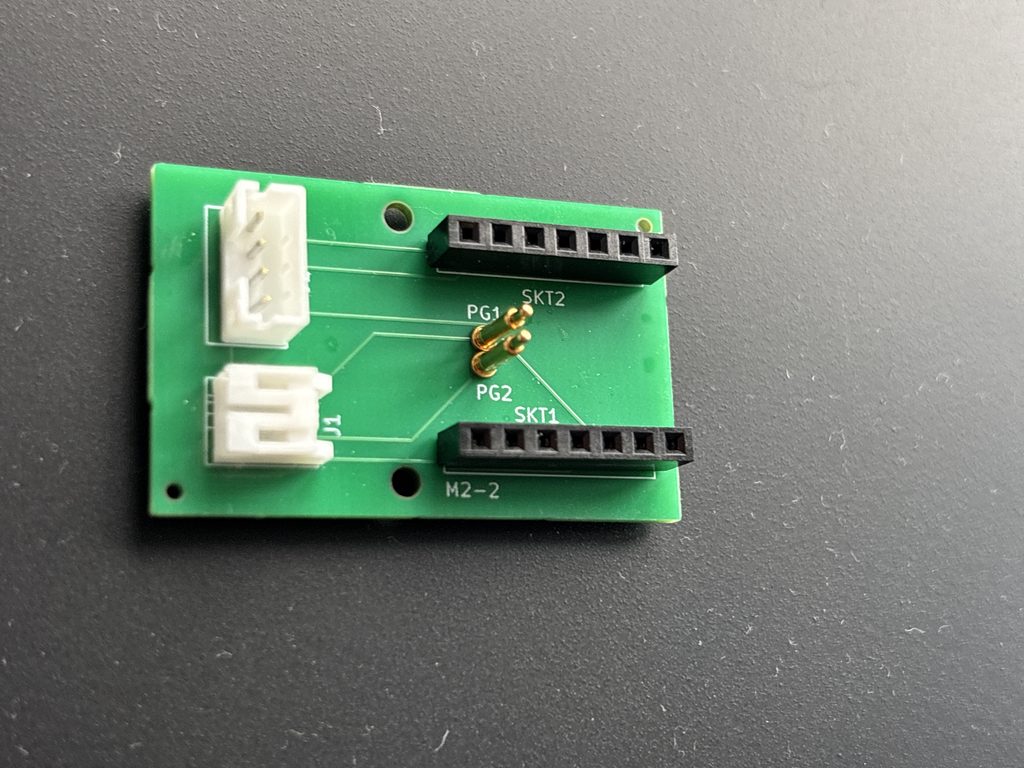
I decided to keep the PCB as simple as possible. I made the board the same size as the Grove shield and with the same mounting holes. I added precisely six components, all of which are connectors: 2 x 7 pin heads for the nRF54 pins, a Grove connector, a battery connector and two pogo pins to connect the battery to the power pads on the bottom of the nRF54 board. 6 simple, copper tracks connected it all together. I used KiCad to design it with a little help from, of course Claude. This last turned out to be a bit problematic. Claude has no concept of 3D space, so connectors were mirror reversed or placed at 90 degree to what was needed. This was frustrating but, in practice, easily solved.
My soldering skills are also pretty bad, so I found a company that would produce the boards and do the hard work of soldering for me: the very accommodating JLCPCB. I double- and triple- checked my design and sent off the gerber files. A couple of weeks later, I had five boards to play with. (Five was the minimum order size.)
Needless to say, despite my many checks and entirely as expected, the boards had problems. Firstly, the nice people at JLCPCB had contacted me and queried the orientation of my Grove connector. I assumed that they knew best and we agreed to rotate it my 180 degrees. This proved to be a mistake. The original orientation was correct. However, this was easy to fix as Grove connection cables can easily be rewired with the help of a small-bladed screwdriver. It only took 2 minutes to make what was, in effect, a Grove crossover connector.
The second problem was the pogo pins. I had measure the height of the sockets on the Grove shield and found pogo pins of the right that should connect from the PCB to the base of the nRF54. It turns out that different sockets can have slightly different clearances. My pogo pins were about 0.5mm too short. The was again a bit of a workable bodge to fix this: a blob of solder on each of the connecting pad on the nRF54 filled the short gap.
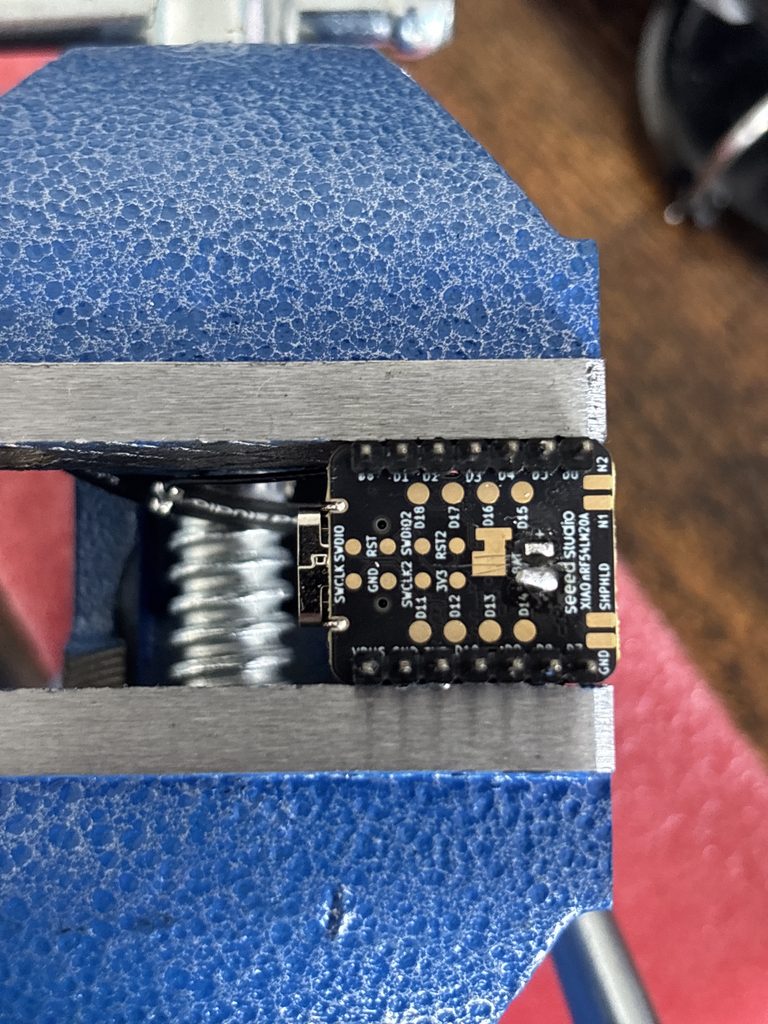
Thirdly, the battery connector was the wrong size. I had specified what I thought was the correct size (PH2) when, in fact, the batteries I was using had ZH connectors. Luckily, I was able to get replacement batteries on Amazon cheaply, and they even had a slightly larger, 350mAh capacity.
The final problem was a bit more serious. The nRF54 talks to the BME280 sensor over an I2C interface via the Grove connector. It turned out that the I2C pins in KiCad were incorrectly labelled and swapped the SDA and SCL pins. I didn’t want to send off for corrected PCBs so, once again, I bodged up the Grove connection cable to swap the pins. I now had a viable PCB.
I assembled the device, put it on USB power and, WOO HOO!, it worked first time. I charged the battery for several hours and unplugged the USB. It ran on battery power too. I was ecstatic.
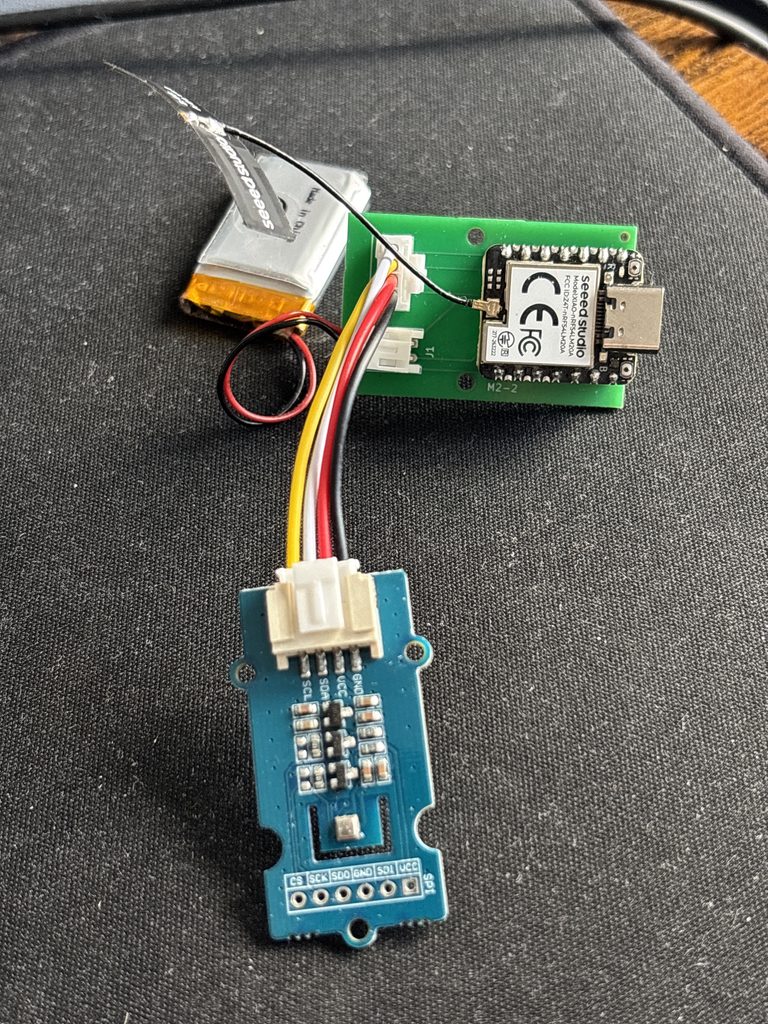
It ran out of power in 40 hours.
I assumed what was turned on?
The nRF54LM20A has a built in nPM1300 PMIC (Power Management IC). I näively assumed that this was enabled and operational by default. This was not the case. The battery on my device hadn’t charged at all, and it had lasted 40 hours only because most LiPo batteries are shipped partially charged. I needed to found out how to use the damn thing.
This turned out to be easier than I thought. Seeed ship some excellent example sketches for the Arduino IDE. However, I could see that I was not going to be able to monitor and debug my device without going whole-hog and implementing full power and voltage monitoring.
I completely restructured my Arduino sketch. When the device is on USB power, it enables(!!!) battery charging and lights up a couple of informative LEDs to show what it is doing. When it detects that it is on battery power, it shuts off everything that it can and goes into a true deep sleep as in the previous software version. I changed the advertising packet that it sends out. As I mentioned in my last post, I am currently (mis-)using the Eddystone UID format for the data. There are two bytes at the end of this advertisement packet that are meant to be reserved for future used and should be zeros. I co-opted them to hold some bit flags to show charging status and the current millivolt output of the battery. I made some changes to my weather station front end to show the power situation and a generic LiPo battery calibration curve to turn millivolts into remaining capacity.
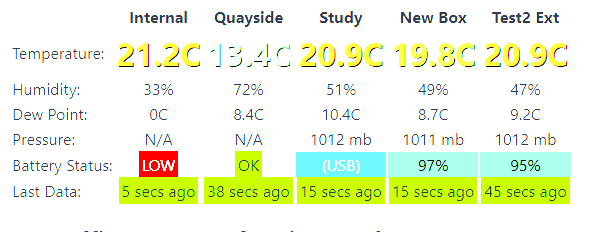
Once again I fully charged the battery and waited. After only a couple of hours, I could clearly see that the battery drain was still very high – 30% capacity gone overnight.
If I still had much hair, I’d have been tearing it out
By now, as you could imagine, I was getting pretty despondent that I would ever get this power situation resolved. I set Claude off researching ideas. Meanwhile, I had four other PCBS, a spare nRF54, a spare BME280 and I could get another battery from Amazon next day. Having another device would certainly help to fix my problem as I could test two theories or fixes at once. So, I built myself a second device. I charged it and left it run on battery. It has been going now for 13 days and the battery still reads 93% capacity.
So, it looks like my design and my my new PCB do, in fact, work. The estimate time between charges for the second device is several months, which is exactly what I hoped for. So why was the first device draining power like there was no tomorrow?
My first thought was the PCB. Maybe it was defective? Did the bases of the pogo pins look like they were touching? I swapped the PCB for another one, one where I could see a definite air gap between the pogo pin bases, but it made no difference.
Maybe it was my questionable soldering skills? I reworked the blobs that connected with the pogo pins and made sure there was no possibility of a stray solder bridge. Again, it made no difference.
Was the BME280 defective or damaged from too much manhandling? I swapped it with one from another device. It still made no difference.
By this time, I was left with only two possibilities for a faulty component: the battery or the nRF54 itself. I ordered a new battery from Amazon, fitted and charged it. The device still died. I was forced to admit that, somehow, I’d damaged the nRF54.
Looking back, I realized what had happened. The LiPo batteries that I buy invariably come with the wrong polarity. This isn’t a big problem as it takes just two minutes to require the battery’s plug with a small screwdriver. However, there was one battery where I somehow managed to rewire the connector twice. I spotted this mistake about two minutes after plugging it in to charge via the nRF54’s built-in PMIC but, clearly, that was enough to somehow damage the chip. It still works fine off USB power, but I’m going to need a replacement chip to finish building another weather sensor. That can wait until I return from a much-needed holiday!
Leave a Reply
You must be logged in to post a comment.